• PCBA

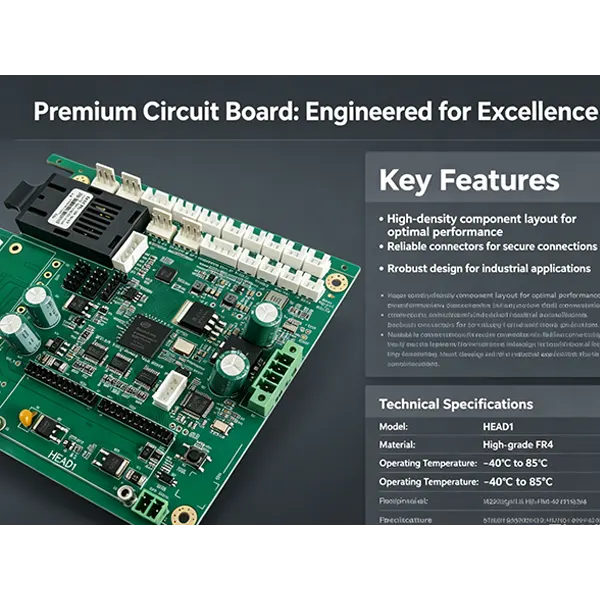
HEAD1 Print Board V3.0 PCBA

HEAD1 Print Board V3.0 PCBA

Key Functions

  • High-Precision Print Head Control
  • Drives multi-channel print nozzles with real-time timing control, ensuring stable ink output and consistent high-quality printing.
  • Anti-Interference High-Speed Communication
  • Fiber optic interface enables long-distance, noise-free data transmission; serial ports support parameter setting and firmware upgrade.
  • Stable Power Management
  • Integrated DC-DC converters deliver clean 5V/3.3V/2.5V power, with high-capacity capacitors for ripple suppression and system stability.
  • Industrial-Grade Reliability
  • FPGA-based real-time control, wide temperature adaptation, and full protection circuits ensure long-term operation in harsh industrial environments.
  • Easy Maintenance & Expansion
  • LED status indicators, reserved test points, and flexible I/O expansion simplify debugging, maintenance, and custom function upgrades.

InquiryDownloadVideo
Share to
Detailed

Core Specifications: 

Main Controller: Intel Cyclone 10 FPGA

PCB Material: FR-4 High-Tg, Green Solder Mask, ENIG Finish

Power Input: 24V DC (with overcurrent/overvoltage protection)

Communication: KIFIN Fiber Optic Transceiver + RS485/UART Serial Port

Drive Output: Multi-channel print head drive (24V/5V dual voltage)

I/O Interfaces: 16+ digital I/O for sensors & peripherals

Operating Temp: 0 ~ 60°C (Industrial Grade)

Protection: Overcurrent, short-circuit, reverse polarity, ESD protection

  • Golden Board Electronics/RJX Group
  • +86-755-21045576
  • +86-18575582688(Sales Department )
  • marketing@szgoldenboardhk.com
  • Room 408,A11 Block,Silicon Valley Power Industrial Zone,No.416 Dahe Road,Long Hua District,Shenzhen City,Guang dong Province.
  • Mobile version
  • WeChat
Golden Board Electronics/RJX Group 2026 all rights reserved
Golden Board Electronics/RJX Group
PCB Layout/PCB Manufacture/PCB Assembly

We provide professional PCB design, manufacture, assembly, and customization services.
Inquiry Close
WeChat Sharing Guide
Open the WeChat app, scan the QR code on the left; then click on the icon in the upper left corner of WeChat to share with friends or Moments.